Roles & Permissions
Vulnotes uses role-based access control (RBAC) to determine what each user can do. Users can hold several roles; their permissions are combined. Team restrictions then determine which clients, reports, and templates they can access.
Built-in roles
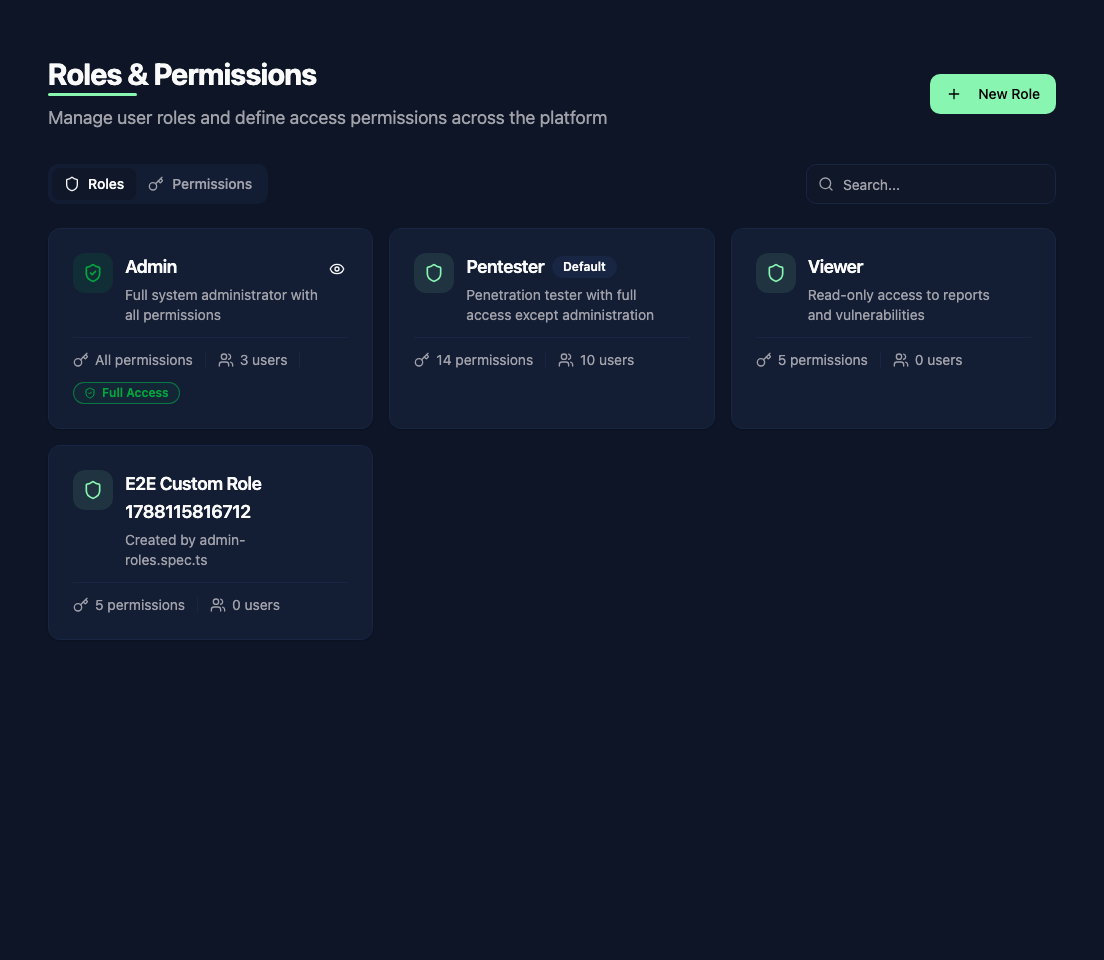
Fresh installations include three built-in roles:
- Admin - full access to everything, including user management, settings, and all data
- Pentester - can create and edit reports, findings, vulnerabilities, and companies, but cannot access administration settings
- Viewer - read-only access to reports, templates, vulnerabilities, and clients
You can create additional roles to match your organization's structure.
Permission categories
Permissions are organized by feature. Most use View (ro:) and Edit (rw:), where edit includes read access. Some actions have separate permissions, such as managing planning or reading the audit trail.
The main permission categories include:
- Reports - create, view, edit, delete, export reports
- Findings - covered by report permissions
- Templates - manage report templates
- Vulnerabilities - manage the vulnerability library and templates
- Companies - manage clients and contacts
- Users - view and manage other users
- Settings - access administration settings
- Planning - create and manage events
- Audit Logs - read the audit trail; verification and export require system administration
Creating custom roles
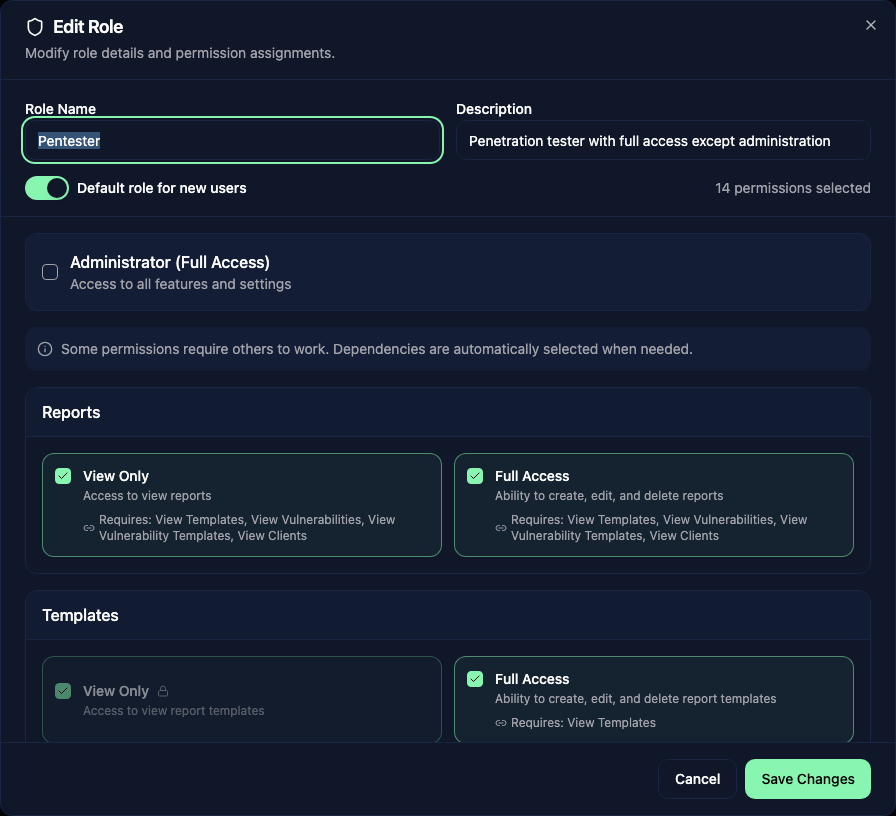
Go to Administration > Roles & Permissions and click Add Role. Give your role a name, then toggle permissions on or off for each category.