

Vulnerability Library
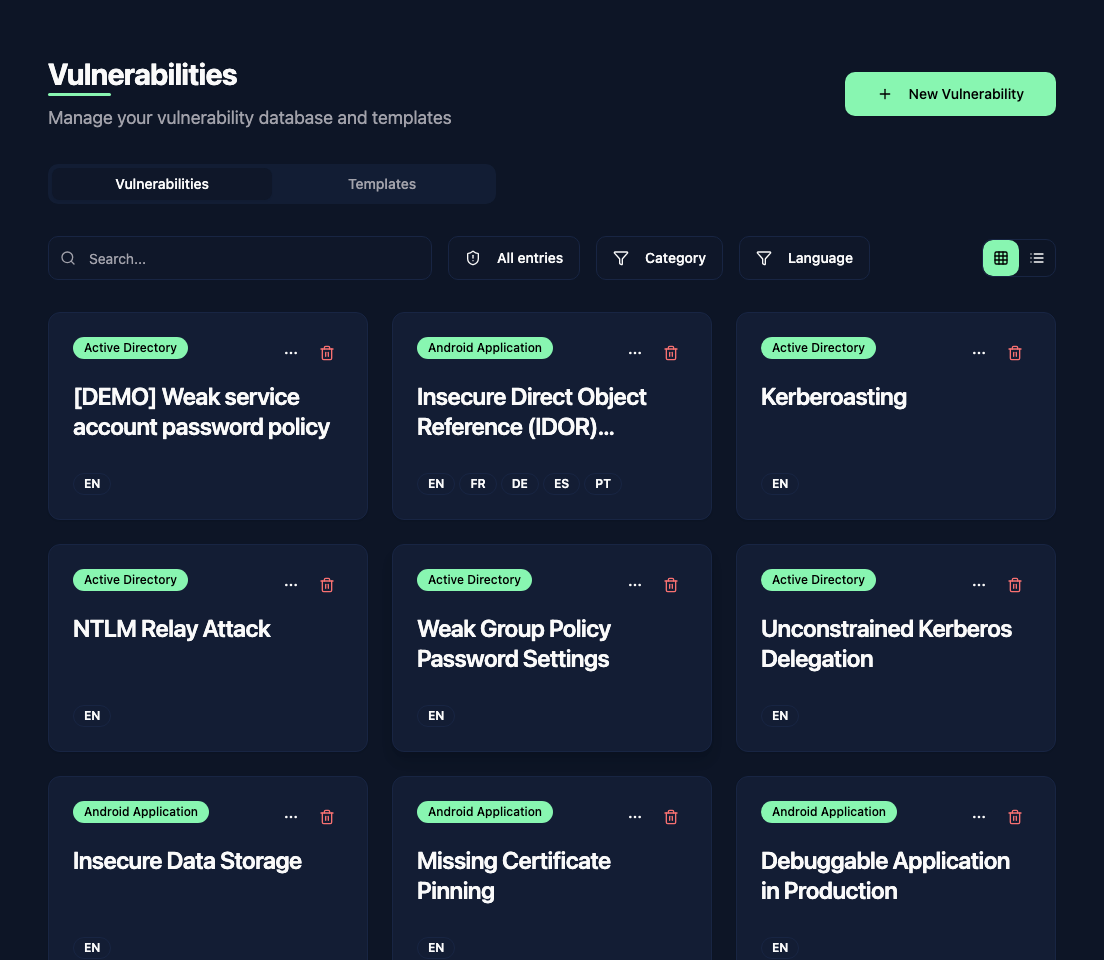
The vulnerability library is your centralized database of known vulnerabilities. Instead of rewriting the same SQL Injection or XSS description in every report, you write it once in the library and reuse it across all your assessments.
Library vs report findings
There is an important distinction between library vulnerabilities and report findings:
- Library vulnerabilities are standalone, reusable entries that live outside of any specific report. They are your knowledge base.
- Report findings are the actual vulnerabilities you discovered during an assessment. When you add a finding to a report from the library, the content is copied in. Changes to the finding in the report do not affect the library, and changes to the library do not affect existing reports.
Maintain reusable descriptions in the library, then customize them for each engagement when adding them to a report.
Find an entry
Use the search field and the Category and Language filters to narrow the list. Switch between the grid and list views to browse the results. New Vulnerability creates an entry; the Templates tab manages the structures those entries use.
Review submitted findings
Report findings can be submitted for reuse in the library. Administrators see pending submissions under Needs validation.
Click Review to open the submitted copy. Check each language and remove client-specific details from the text and images. You can edit the content before clicking Validate to add it to the library.
Use Reject if it should not be published, with an optional reason for the requester. Reviewing the submitted copy does not change the finding in its original report.