

Review & Approval Workflow
The review workflow gives your team a fixed version to comment on while the author continues editing the report.
Starting a review
- Save the report content and findings, then set the status to Waiting for Review.
- Vulnotes automatically creates a snapshot and replaces the Preview tab with Review.
- The reviewer accepts the review, or changes the status to Under Review. Their name becomes the report's reviewer.
Moving directly from Draft to Under Review also creates a snapshot. Moving from Waiting for Review to Under Review keeps the existing snapshot.
Comparing the snapshot and live report
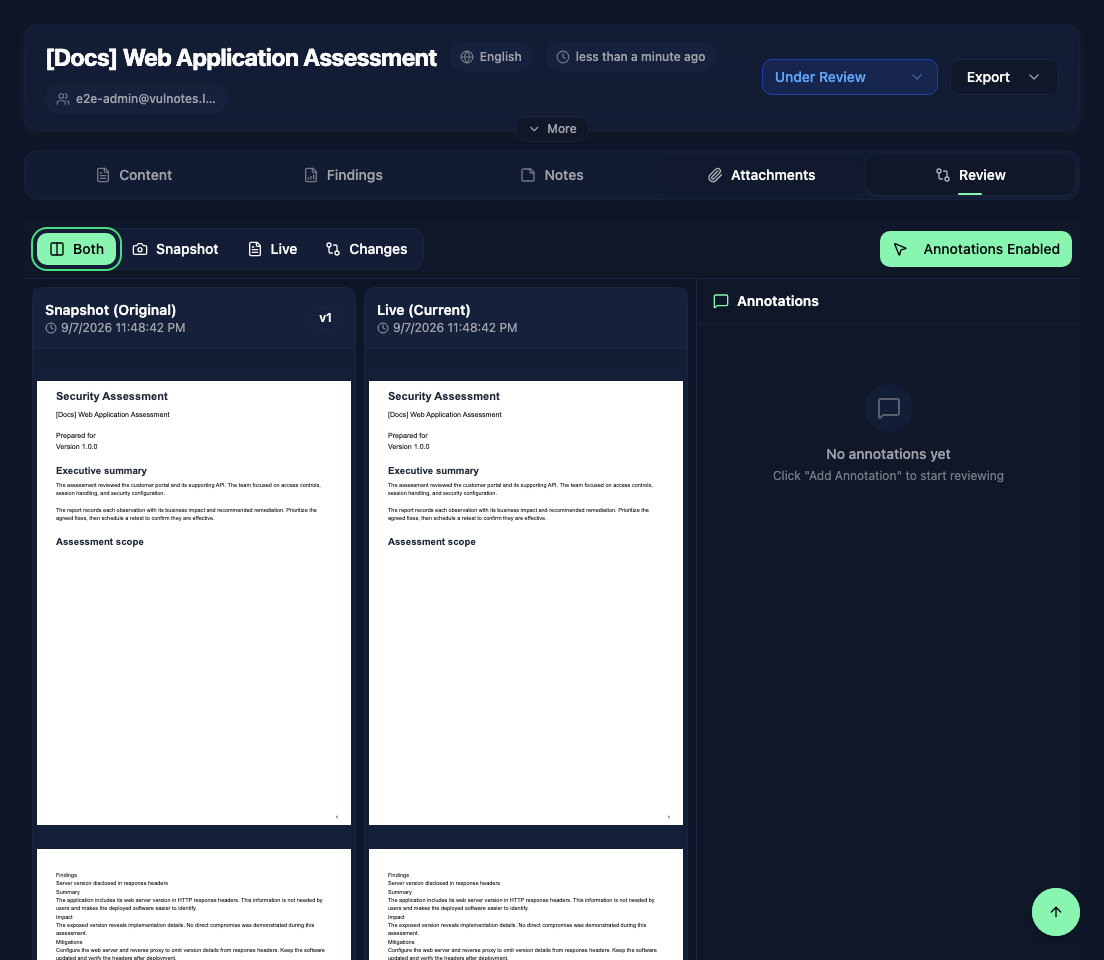
The Review tab offers four views:
- Both - the snapshot and current report side by side.
- Snapshot - the saved version from the start of this review.
- Live - the current report, including saved corrections.
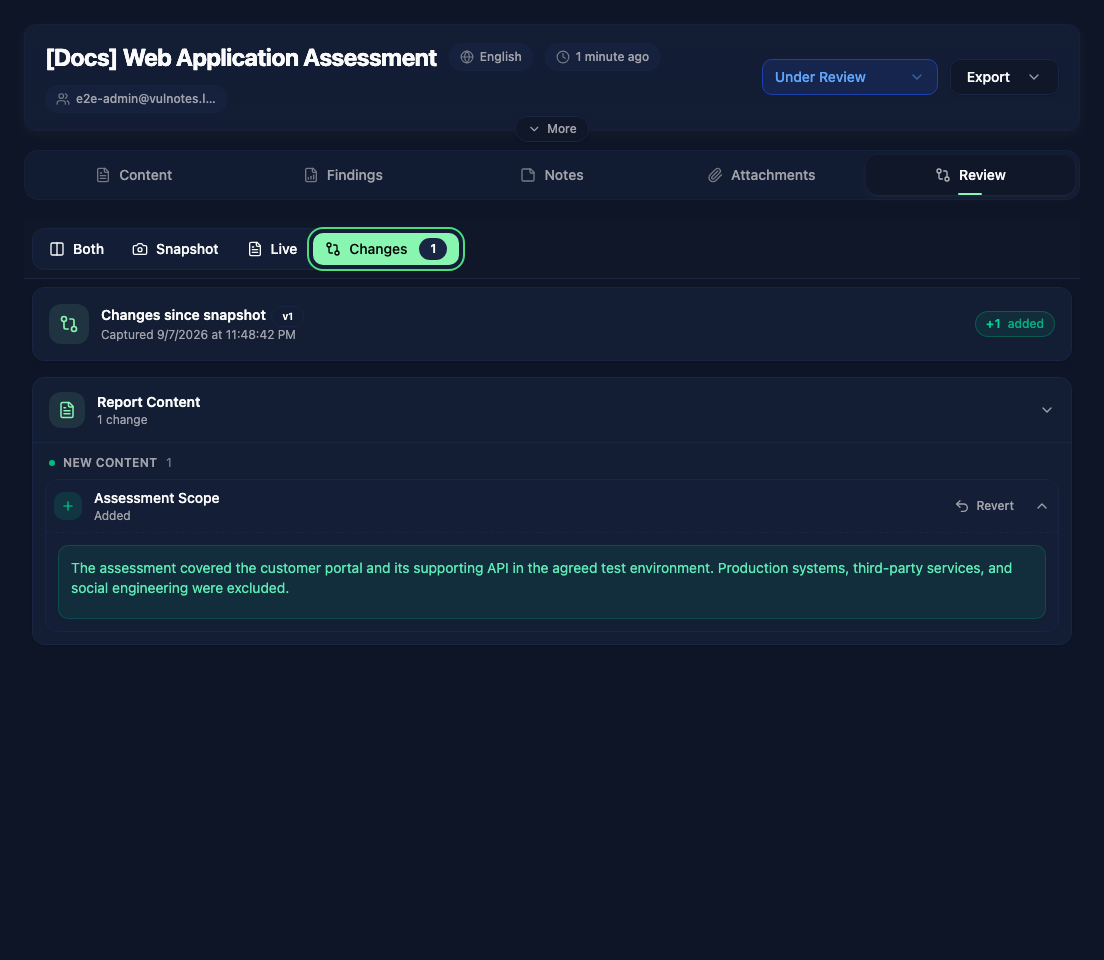
- Changes - added, removed, and modified content since the snapshot.
The snapshot stays fixed while you edit the report's Content and Findings tabs. Save your corrections before checking them in the review.
In Changes, expand an item to inspect the differences. Revert restores that item or field to its snapshot value and updates the live report, so check the selected change before confirming.
Leaving feedback
Enable annotations and draw a box over the relevant area of the snapshot. Write your comment in the side panel. Selecting an annotation takes you back to its location on the page.
Use Reply to discuss a comment, Resolve when it has been addressed, or Reopen if it needs more work. The annotation panel shows the open and resolved counts.
Finishing the review
Once the corrections have been checked, set the report to Completed. The report returns to the Preview tab and Vulnotes prepares its archive for delivery.
For another review round, return the report to Draft, save your updates, then select Waiting for Review again. This creates a new snapshot of the saved report.