

Teams
Teams let you organize users into groups and control what data each group can access. This is useful for companies with multiple departments, client-facing teams, or separate business units that should not see each other's data.
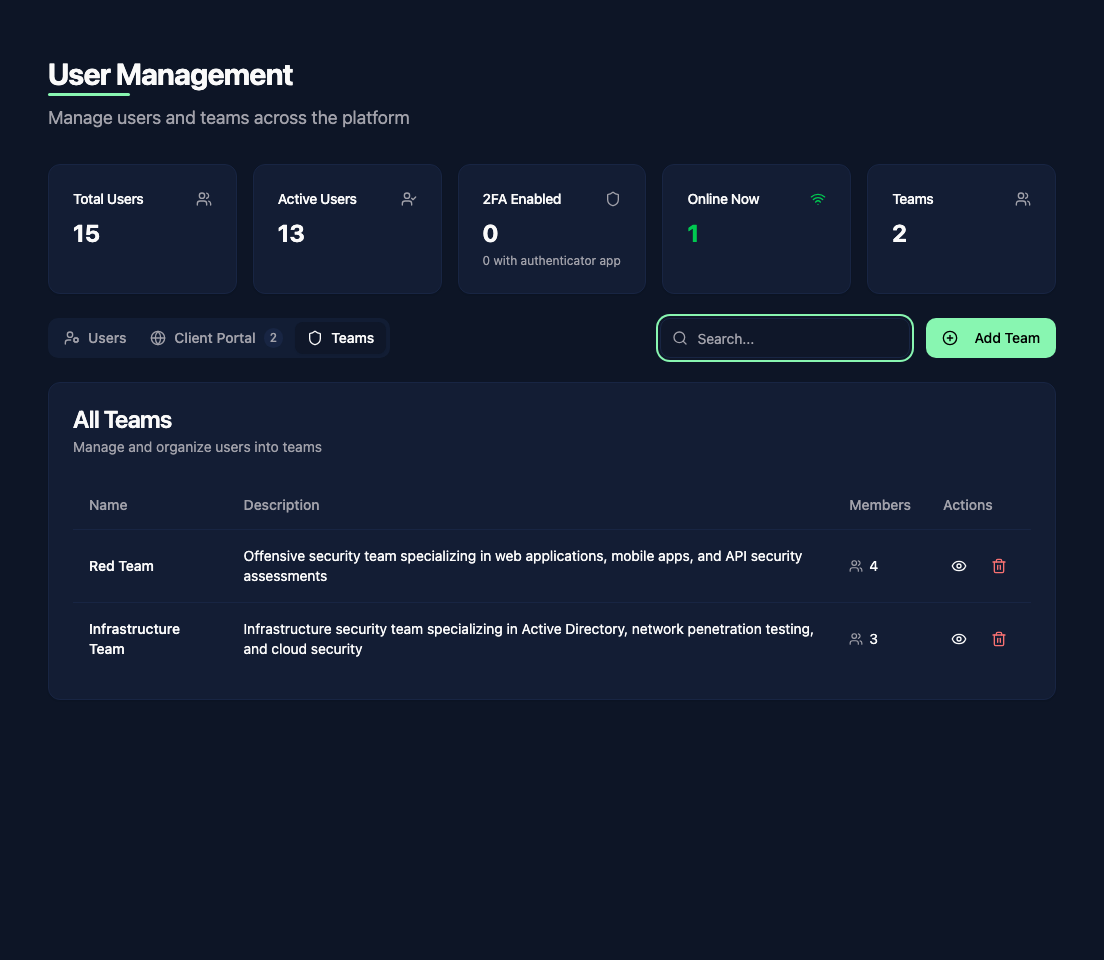
Creating a team
Go to Administration > User Management and click the Teams tab. Click Add Team to create a new team. Give it a name and optionally a description.
Assigning users to teams
When editing a user, select their team from the dropdown. Each user belongs to one team. Users without a team can see all data (subject to their role permissions).
Team-based access control
Teams control visibility through exclusion lists. By default, team members can see everything. To restrict access, configure which clients, report templates, and vulnerability templates a team should not have access to.
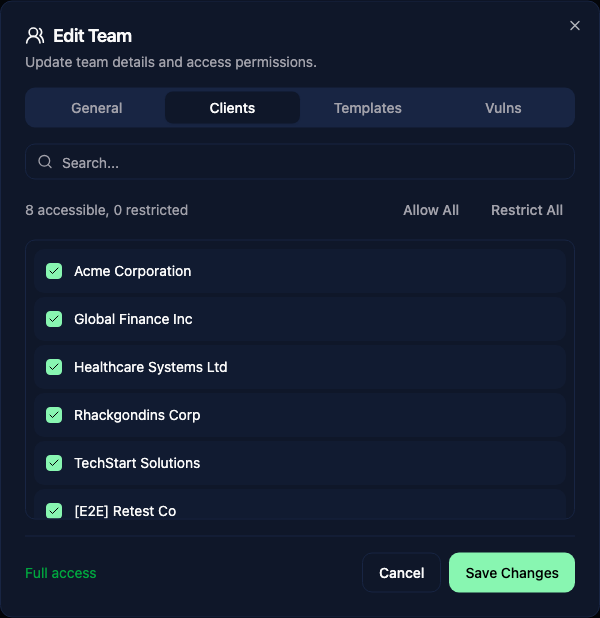
This exclusion-based model means a new client or template is automatically visible to all teams unless explicitly excluded. This reduces the risk of accidentally hiding something from a team that needs it.
Report access
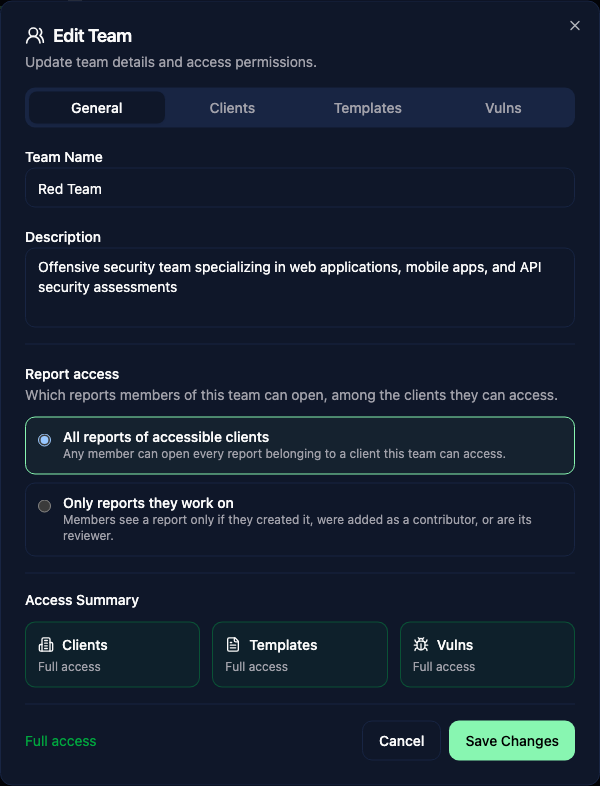
Client exclusions decide which customers a team can see. The Report access setting, on the General tab of the team dialog, decides which of that customer's reports its members can open.
| Setting | Effect |
|---|---|
| All reports of accessible clients (default) | Any member can open every report belonging to a client the team can access. |
| Only reports they work on | A member sees a report only if they created it, were added as a contributor, or are its assigned reviewer. |
Use the second mode when pentesters should share a customer without sharing every engagement for that customer: for example contractors, or consultants who must only see the audits they are staffed on.
Add someone to a report by listing them as a contributor when creating or editing it. That is the "invite" mechanism: contributors of any role (author, co-author, reviewer) can open the report.
WARNING
A reviewer needs to find a report before they can accept the review. Under Only reports they work on, add the reviewer as a contributor first; the dedicated reviewer field only grants access once the report is already assigned to them.
Client exclusions always win. You cannot see your own report for a customer your team is excluded from.
TIP
This setting is off by default. Existing teams keep full visibility of their accessible clients' reports, and no migration is needed.
What teams affect
Team membership controls access to:
- Clients - team members only see clients not excluded from their team
- Reports - reports inherit their client's access, and can be further restricted to the ones each member works on (see Report access)
- Report templates - teams can be excluded from specific templates
- Vulnerability templates - teams can be excluded from specific vulnerability categories
- Calendars - a team can be limited to seeing only its own members' planning
TIP
System administrators always see everything regardless of team membership.
Report endpoints return "not found" for reports hidden by these restrictions. Team visibility also filters the report list, search, dashboard statistics, exports, notes, review comments, and live collaboration, including access through the API.