

Exporting Reports
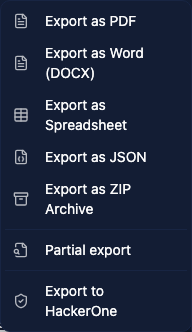
Once your report is ready, you can export it in several formats. Click the Export dropdown in the top right corner of any report to see the available options.
PDF
The PDF export uses your template design, including styling, headers, footers, page numbers, charts, and images. Check the preview before exporting.
PDF supports mixed page orientations within the same document, so your template can have portrait pages for text content and landscape pages for wide tables or diagrams.
Word (DOCX)
The DOCX export generates a Word document that preserves the structure and formatting of your report. This is useful when clients need to add their own comments or when your team needs to make last-minute edits outside of Vulnotes.
Headers, footers, tables, images, and text formatting are all carried over into the Word document.
Spreadsheet
The spreadsheet export creates an XLSX file. Choose the finding fields and report content sections to include in the export dialog. Selected content sections each get their own sheet, and findings are presented in a table with the fields you selected.
JSON
The JSON export gives you the full report data in a structured format. This is useful for programmatic processing, archiving, backup, or importing into another Vulnotes instance.
ZIP Archive
The ZIP export bundles the report PDF and all attachments in a single archive. Enable Password Protection to encrypt it, then enter a password or use the generator. Keep the password so the recipient can open the archive.
Partial export
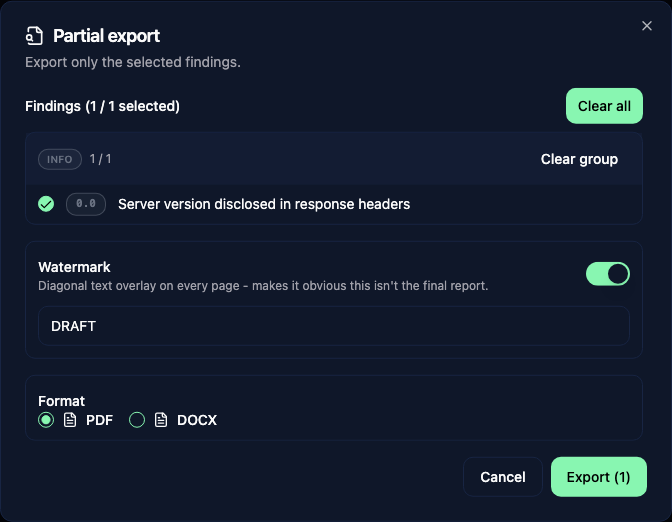
Choose Partial export to share selected findings before the full report is ready. Select findings individually or by severity, then choose PDF or DOCX. The export includes the cover and the selected findings.
A DRAFT watermark is enabled by default. You can change its text or turn it off in the dialog.
HackerOne
When the HackerOne integration is available, Export to HackerOne lets you choose a program, one finding, and optional attachments. Review the generated Markdown before continuing.
For programs with Report Assistant available, Create HackerOne draft creates a draft for you to review and submit on HackerOne. Otherwise, use Copy Markdown and add the images and attachments there manually. Vulnotes does not submit the report for you.
Preview before exporting
Before exporting, use the Preview tab to review how your report will look. The preview renders the full document using your template, including the cover page, all sections, findings, headers, and footers.
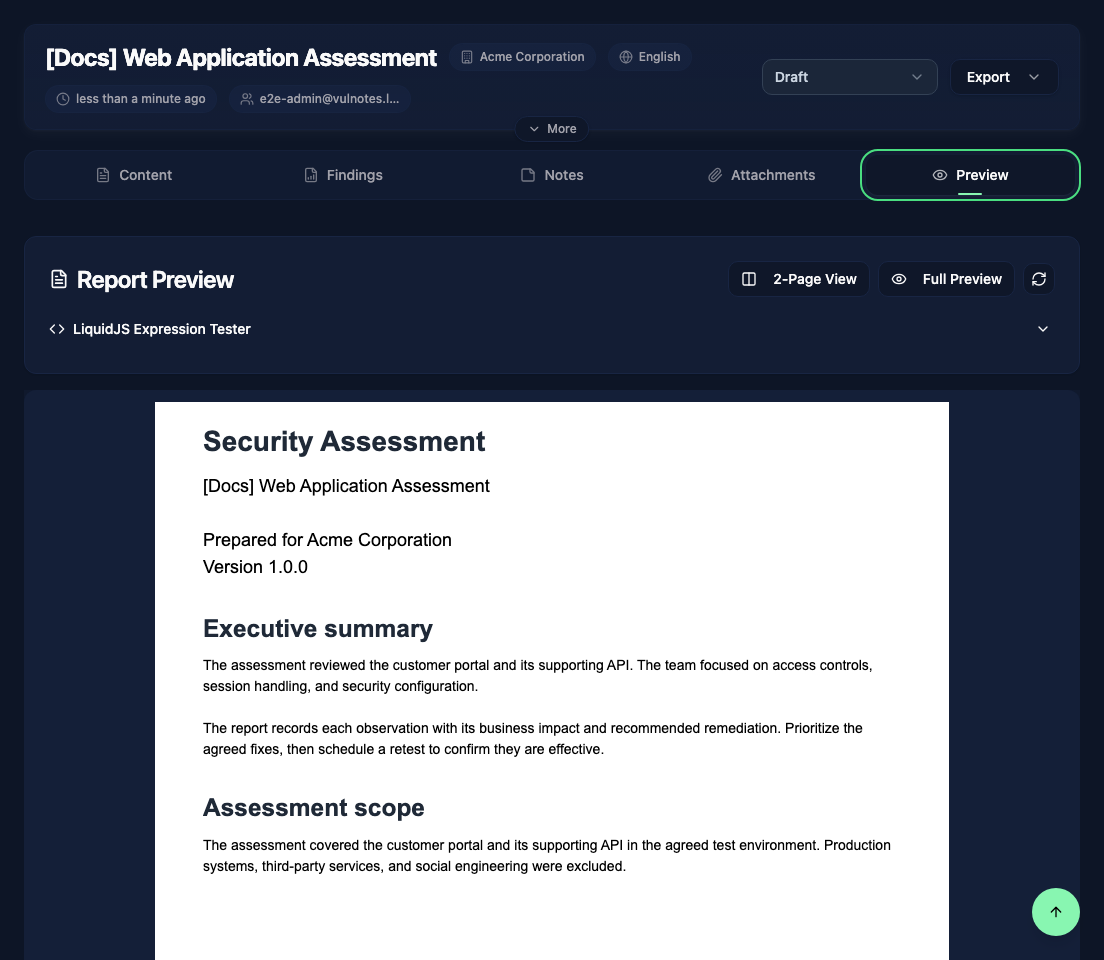
The preview controls let you change the page layout, zoom, or open Full Preview. The LiquidJS Expression Tester lets you test template variables directly within your report context. While a report is waiting for review or under review, use the Live view in the Review tab.