

Vulnerability Templates
Vulnerability templates define the structure and fields for a category of vulnerabilities. They control what information is captured when someone creates a vulnerability or adds a finding to a report.
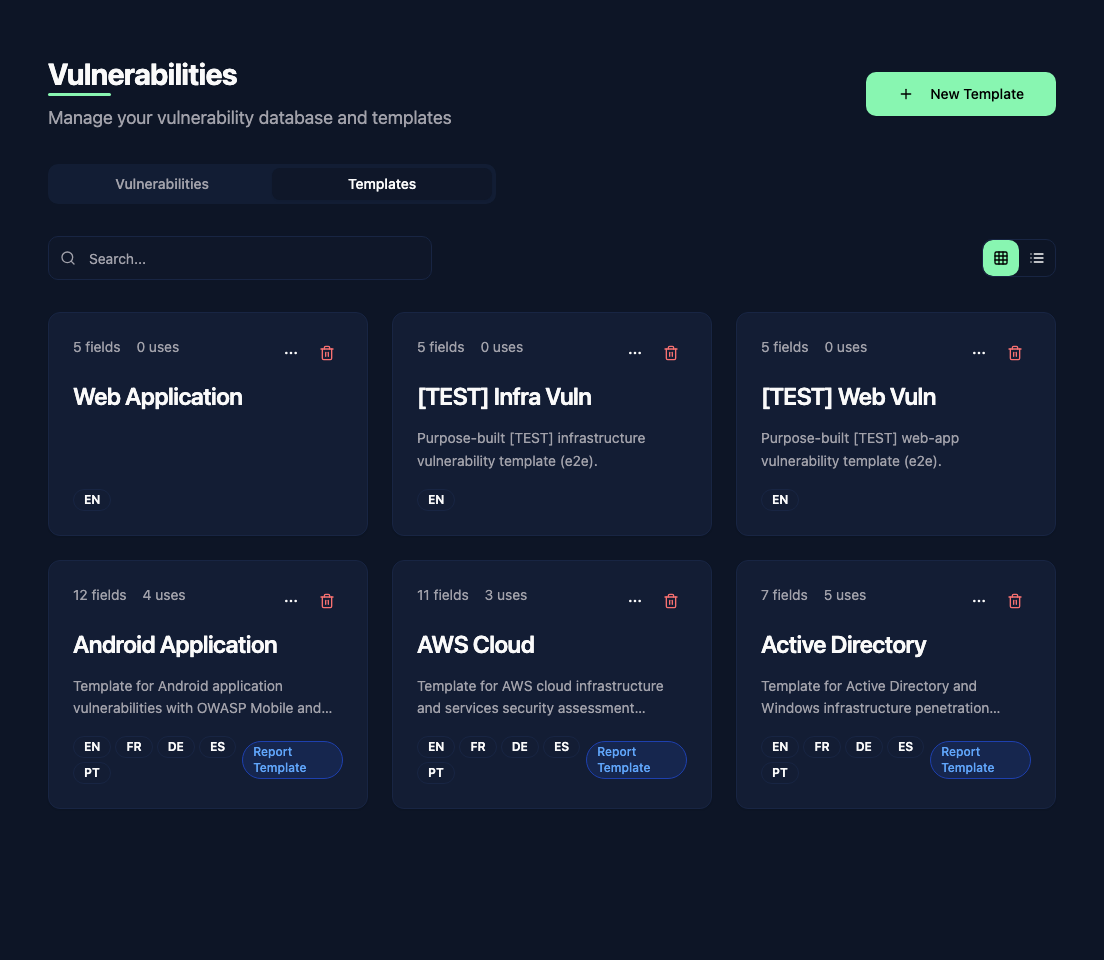
What templates do
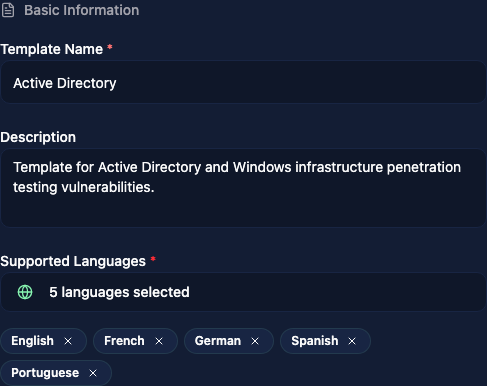 Each vulnerability template defines:
- A name and description for the category (e.g. "Web Application", "AWS Cloud", "Active Directory")
- The fields that vulnerabilities in this category should have
- The supported languages for multi-language content
- Links to report templates that use this vulnerability template
When you create a report, its linked vulnerability templates determine which finding types and fields are available.
Field types
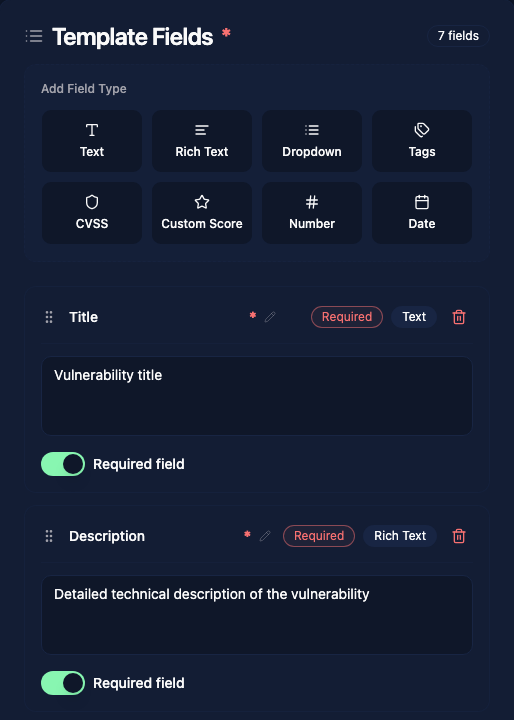 When editing a template, you define the fields that every vulnerability in this category will have. Vulnotes supports these field types:
| Type | Description |
|---|---|
| Text | Single-line plain text input |
| Rich Text | Multi-line formatted text with the full editor toolbar |
| Dropdown | Select one value from a predefined list |
| Tags | Multiple free-form tags |
| CVSS | Interactive CVSS v3.1 or v4.0 calculator |
| Custom Score | Define your own interactive scoring criteria and weights |
| Number | Numeric input |
| Date | Date picker |
Give each field a unique name, add a description, and set Required field if the author is expected to fill it in. Drag fields to change their order.
AI generation guidance
The AI Generation tab lets you add instructions and example output for vulnerabilities and findings that use the template. Enable AI generation context, then configure the guidance you want the AI to follow, such as terminology, tone, or the expected content of each field.
These instructions guide the draft; authors should still review generated text before saving it.
Linking to report templates
A vulnerability template is linked to one or more report templates. This connection determines which vulnerability fields appear in the findings tab when editing a report.
When you create or edit a report template, select the vulnerability templates it should use. Reports created from it can then use those finding structures.