

Client Portal Reports
The Reports page contains the assessments published to the client's company. Open a report to view its summary, scope, findings, PDF preview, and attachments.
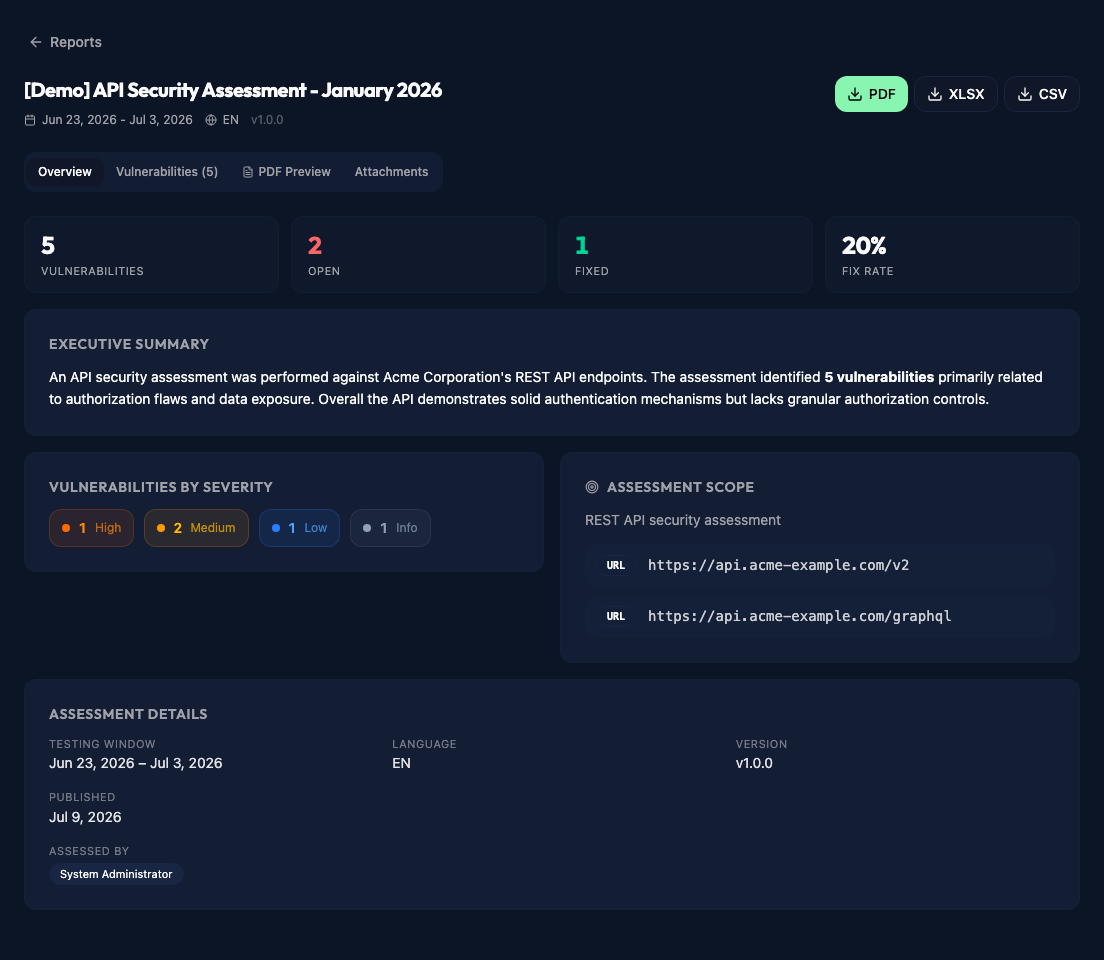
Report overview
The overview shows the assessment dates, language, version, and publication date. It also includes the executive summary, assessment scope, assigned pentesters, and the number of findings by severity.
The cards at the top show the total number of vulnerabilities, how many remain open, how many are fixed, and the current fix rate.
Report content
Use the Vulnerabilities tab to open the findings included in the report. The PDF Preview tab displays the published document, while Attachments contains the files shared with the report.
Download a report
The download buttons appear in the top right of the report. The available formats depend on the options selected in Client Portal Settings.
PDF downloads the archived report. It may be unavailable if a report is visible before its PDF has been generated. XLSX and CSV provide the findings in spreadsheet format. DOCX is also available when it has been enabled by an administrator.