

Jira Integration
Jira is one of the issue tracker integrations available in the Client Portal, alongside GitHub Issues and Azure Boards.
The Jira integration can push findings as issues. This lets a client manage remediation in the same project they already use for development work.
When Jira marks an issue as resolved, the linked finding can be moved automatically to the status selected in the integration settings.
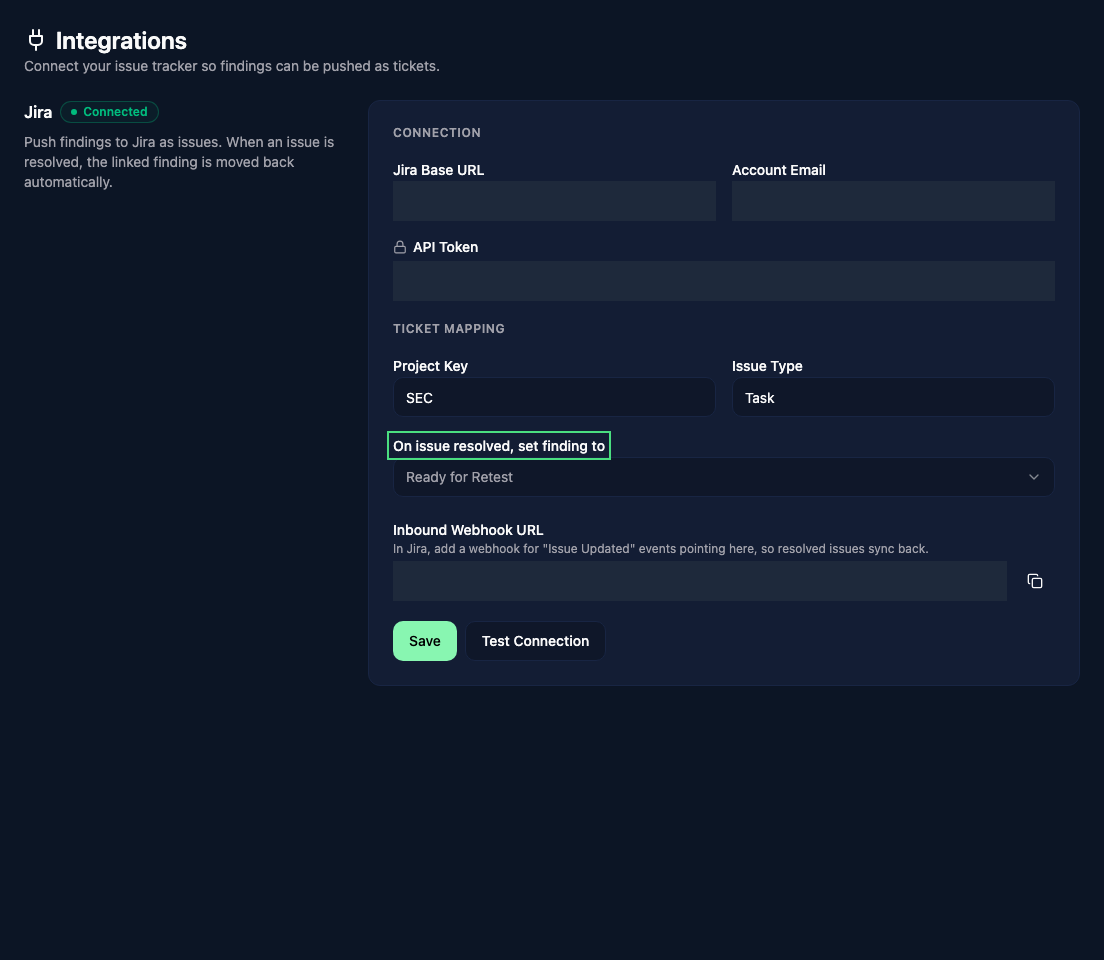
Connect Jira
Open Integrations from the Client Portal sidebar, then enter the Jira base URL, account email, and API token.
Add the project key and choose the Jira issue type that should be created for findings. You can also choose which Vulnotes status should be applied when the linked Jira issue is resolved.
Click Save, then Test Connection. The test uses the saved settings, so save a new token before testing it.
Create a ticket
Open a finding in the Client Portal and click Create ticket to send it to the configured Jira project. This action is available to managers and administrators.
The Jira issue includes the report name, severity, CVSS score and vector, and the finding's description. The example below shows the formatted description and severity label.
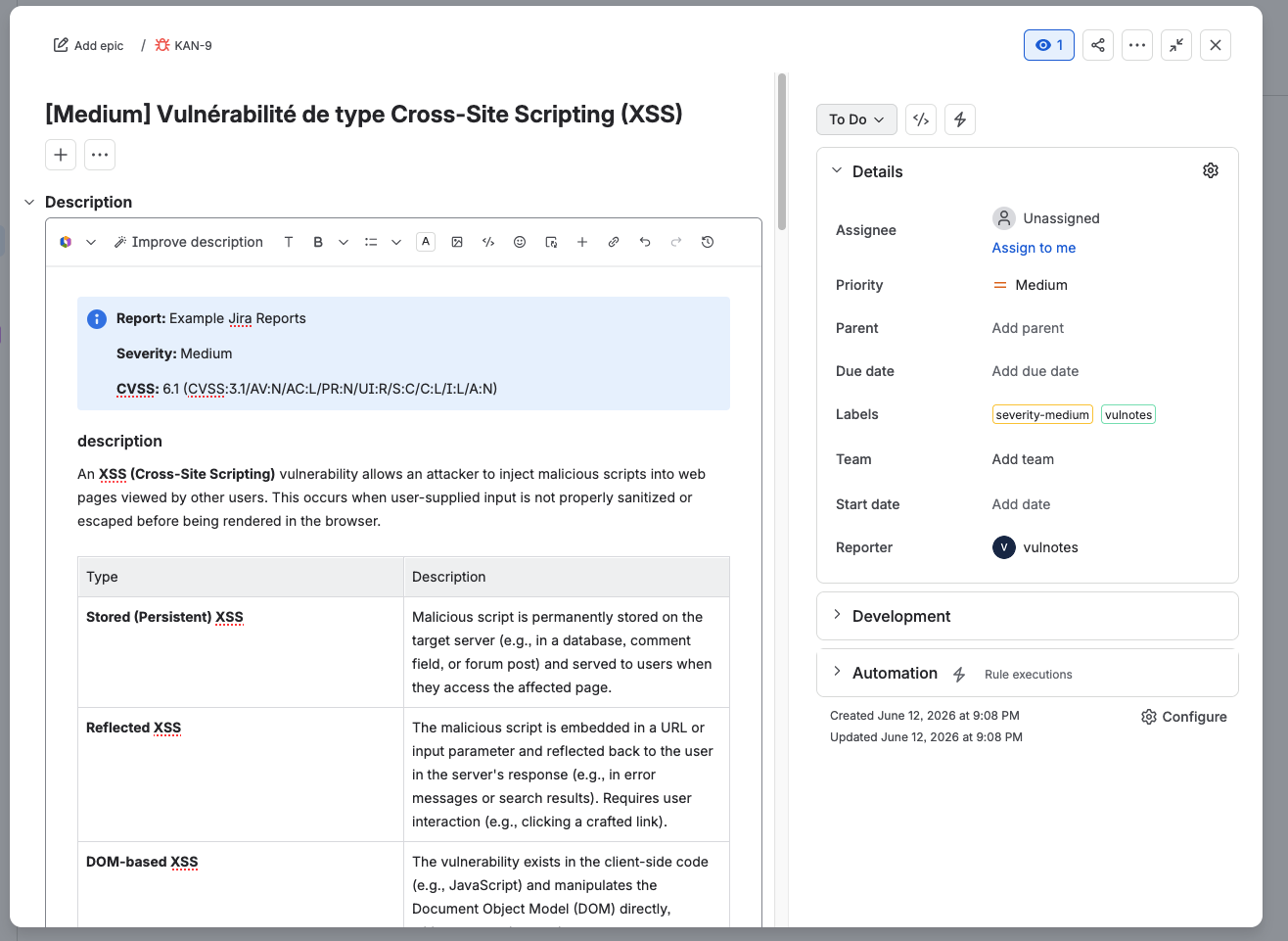
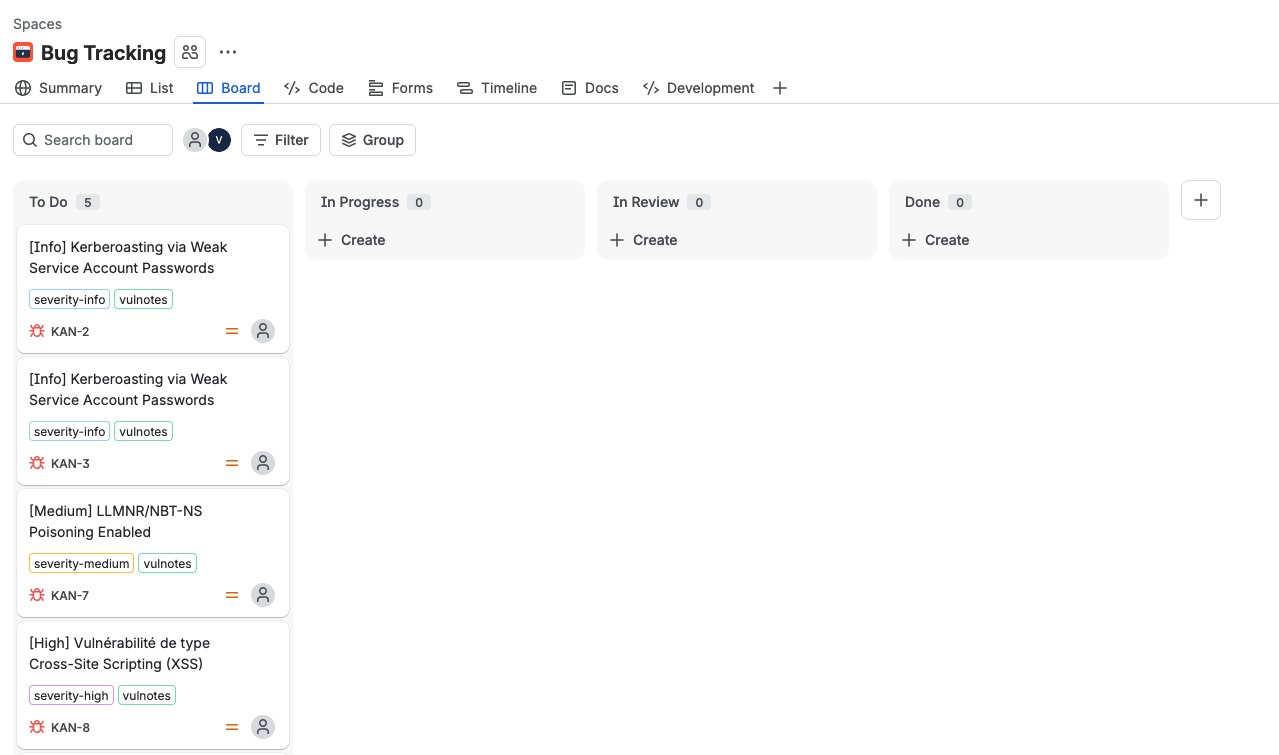
On the Jira board, the severity appears in each issue's title and labels, alongside the vulnotes label.
Configure status updates
Copy the Inbound Webhook URL shown after saving the integration. In Jira, create a webhook for Issue Updated events and use this URL as its destination.
The webhook allows Jira to notify Vulnotes when an issue is resolved. The linked finding then moves to the status configured in On issue resolved, set finding to.
TIP
Use Ready for Retest if your team wants resolved Jira issues to return to the pentesters for validation.
Jira integration settings are managed by client administrators.