

Vulnerabilities
The Vulnerabilities page brings together findings from every report published to the client's company.
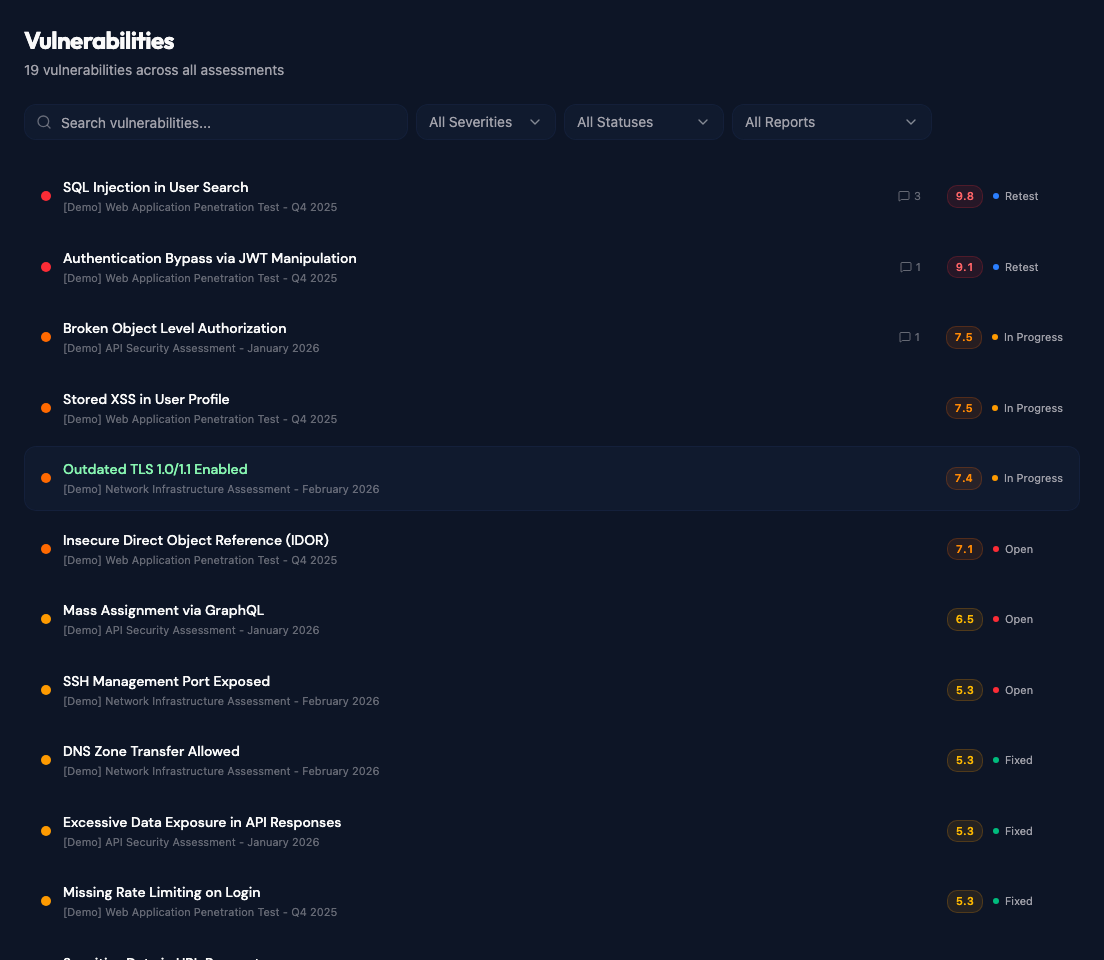
Use the search field to find a vulnerability by name. Results can also be filtered by severity, remediation status, or report.
Each row shows the finding severity, report, CVSS score, current status, and number of team comments. Select a finding to open its details.
Finding details
Findings can also be opened from the Vulnerabilities tab inside a report.
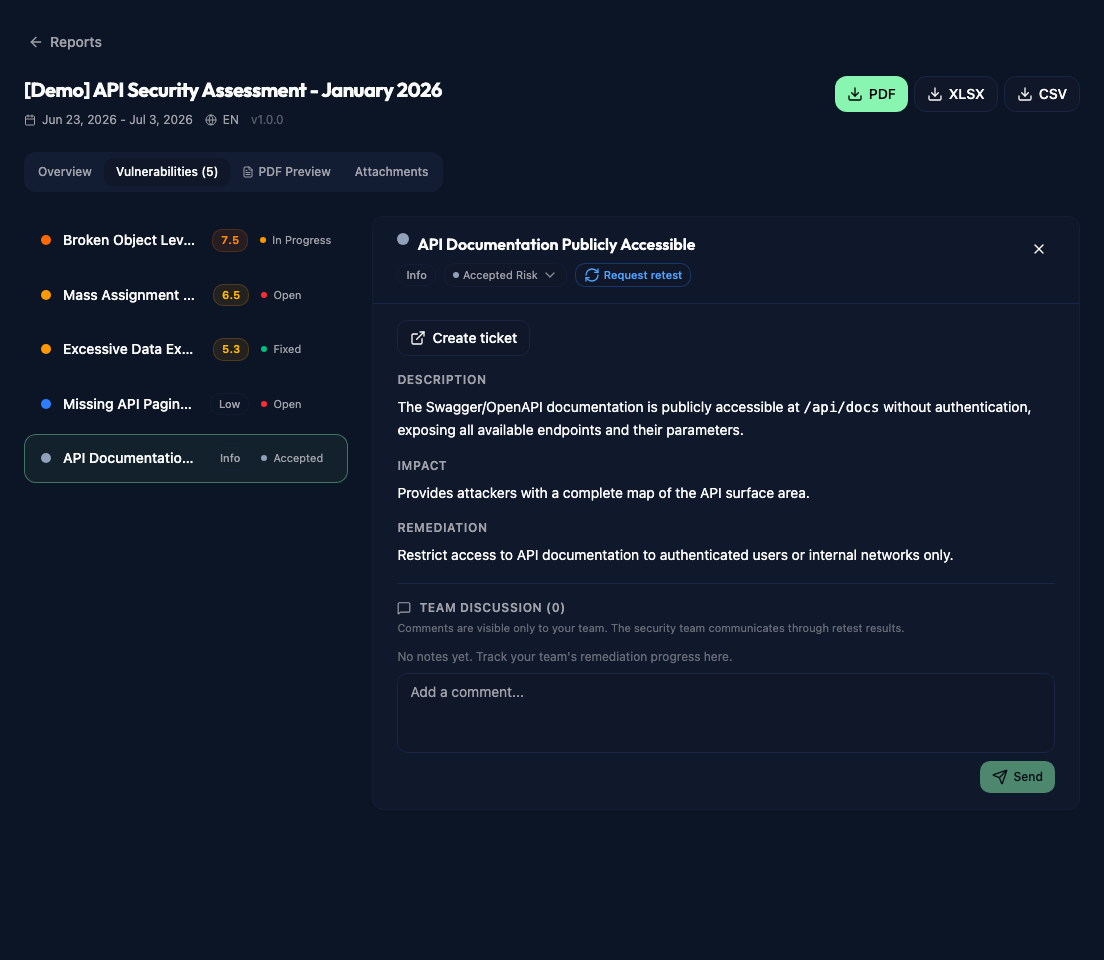
The detail panel shows the finding fields shared from the report, including scoring, description, impact, and remediation when those fields exist in its template.
Managers and administrators can set Open, Fix In Progress, or Accepted Risk. Viewers can read the details but cannot change the status. Fixed is set through retest validation or the configured issue-tracker resolution workflow, rather than selected directly by a client.
When retesting requests are enabled, managers and administrators can use Request retest to set Ready for Retest and notify the pentesters. Retest results and feedback appear in the finding's discussion timeline.
Pentesters record their result from the report's Retest panel.
Team discussion
When comments are enabled, managers and administrators can post in Team Discussion. Comments are visible to the client's portal team, including viewers, and do not become notes in the published report.
Create a ticket
If an issue tracker has been connected, click Create ticket to export the finding. See Jira Integration, GitHub Integration, or Azure DevOps Integration for setup details.