

Client Portal Add-on
The Client Portal gives clients their own space to follow security assessments without giving them access to your Vulnotes workspace.
The portal uses your company name, logo, and colors. Clients only see the reports and findings shared with their company.
See Client Portal Settings to configure it.
The portal requires the Client Portal add-on and is not available in offline editions.
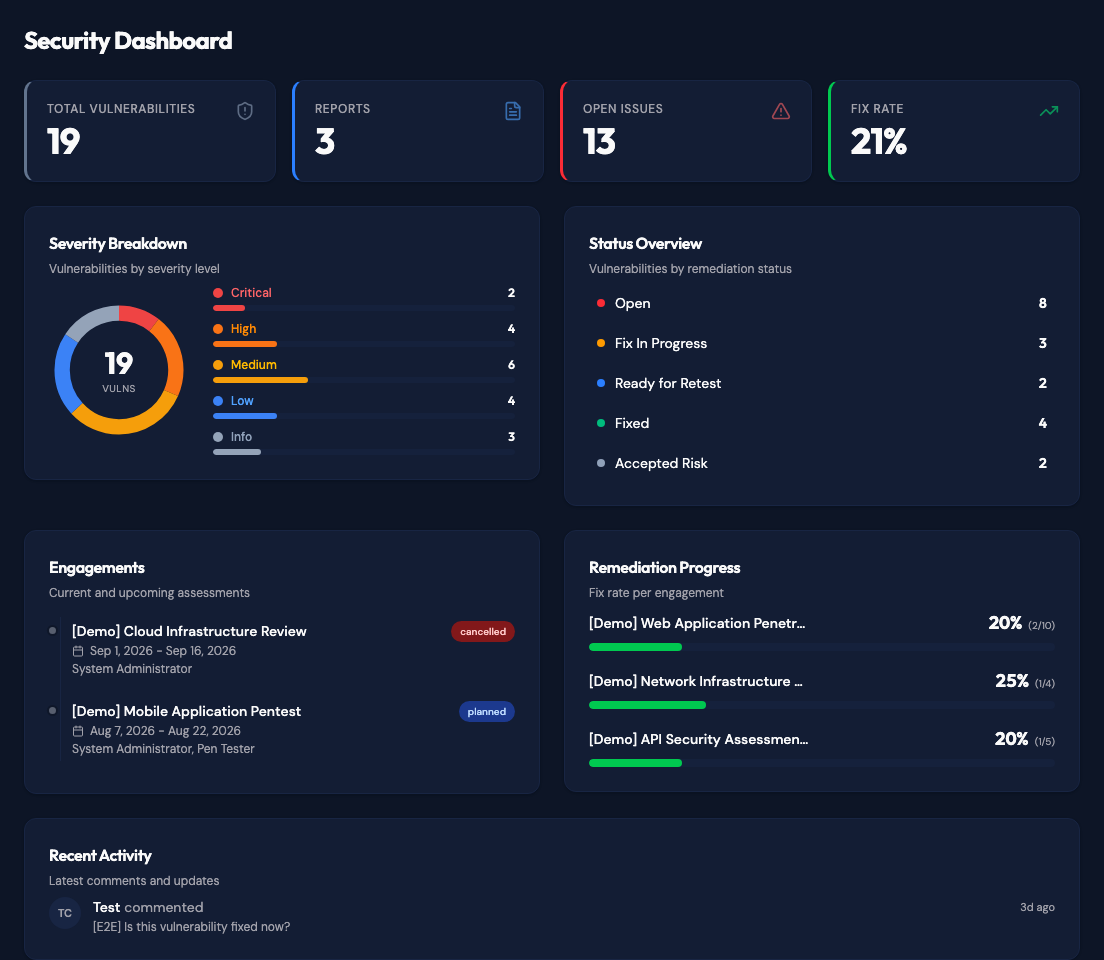
Dashboard
The dashboard gives clients a quick view of their current security posture. It shows the total number of vulnerabilities, published reports, open issues, and the overall fix rate.
The severity and status sections show where attention is needed. Clients can also see current and upcoming engagements, along with the remediation progress for each assessment.
Reports and vulnerabilities
Clients can open their published reports from the Reports page. The Vulnerabilities page brings findings from those reports into one place, making it easier to follow remediation across several assessments.
Finding statuses are shared throughout the portal. When a finding moves from Open to Fix In Progress, Ready for Retest, Fixed, or Accepted Risk, the new status is reflected on the dashboard and statistics pages.
See Reports and Vulnerabilities for details.
Planning
The Planning page groups the company's scheduled assessments into In Progress, Upcoming, and Completed. Each entry shows dates, assigned testers, and its status. A linked report can be opened when it is available to the client.
Team access
Client administrators can invite colleagues from the Team page and manage access for their company. Viewers can read shared content; managers can also update remediation statuses and comment; administrators also manage team access and integrations. Portal accounts remain separate from internal Vulnotes accounts.
See Team access for invitation and role details.
Statistics
The Statistics page gives clients a broader view of their security posture over time. It includes finding trends, remediation metrics, pentest days, and a breakdown by assessment type and vulnerability category.
See Statistics for details.
Integrations
The Client Portal supports Jira, GitHub Issues, and Azure Boards. Clients can push findings to their configured tracker and receive remediation status updates when linked issues are completed. One tracker is active per company.
See Jira Integration, GitHub Integration, or Azure DevOps Integration for setup steps and screenshots.