

HackerOne
Export a report finding to a HackerOne draft, or copy its Markdown to complete the report there. You review and submit the report in HackerOne.
Connect your account
- Open Administration > Settings > Integrations and expand Connectors.
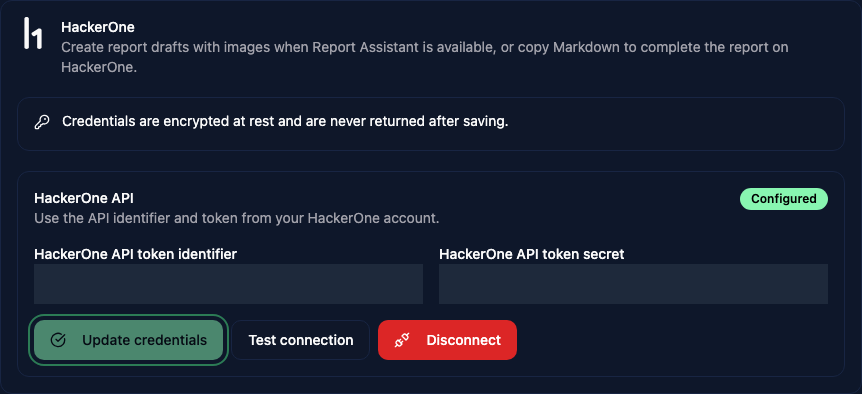
- Under HackerOne, enter your API token identifier and API token secret.
- Click Connect. Vulnotes tests the credentials before saving them.
Saved credentials are masked. Use Test connection to check them later, Update credentials to replace them, or Disconnect to remove the connection. Configuring the connector requires write access to settings.
Prepare a finding
Save your report changes, then choose Export > Export to HackerOne. This action requires write access to the report.
- Enter the exact HackerOne program handle, or choose a suggestion.
- Select one finding.
- Select any report attachments to include. Images referenced in the finding are included automatically when creating a draft.
- Read the Report preview and any warnings.
If Report Assistant is available for the program, click Create HackerOne draft. Open the returned draft in HackerOne and check the wording, image placement, severity, and required fields before submitting. Report Assistant may rewrite the content.
Check Files to add manually in HackerOne if any files could not be uploaded.
Copy Markdown
If the program does not offer Report Assistant, use Copy Markdown. Paste the content into HackerOne, upload the images and selected files yourself, and replace the image placeholders with the attachment references HackerOne provides.
If clipboard access is blocked, select the text in the Markdown preview and copy it manually.