

Code
Use Code in the toolbar to insert a block for commands, configuration, or code examples. Write or paste the text inside the block so its spacing stays readable.
Click the block to open its settings. Background color (all code blocks) changes the background across the template. Choose a color with enough contrast for the code text, then check the report preview.
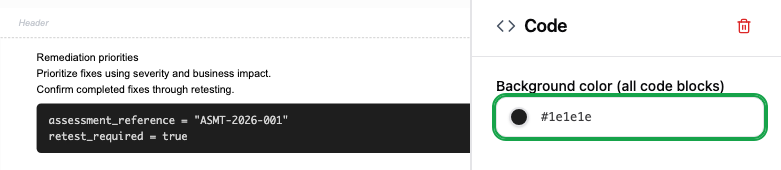
The trash icon in the settings panel removes the selected block.